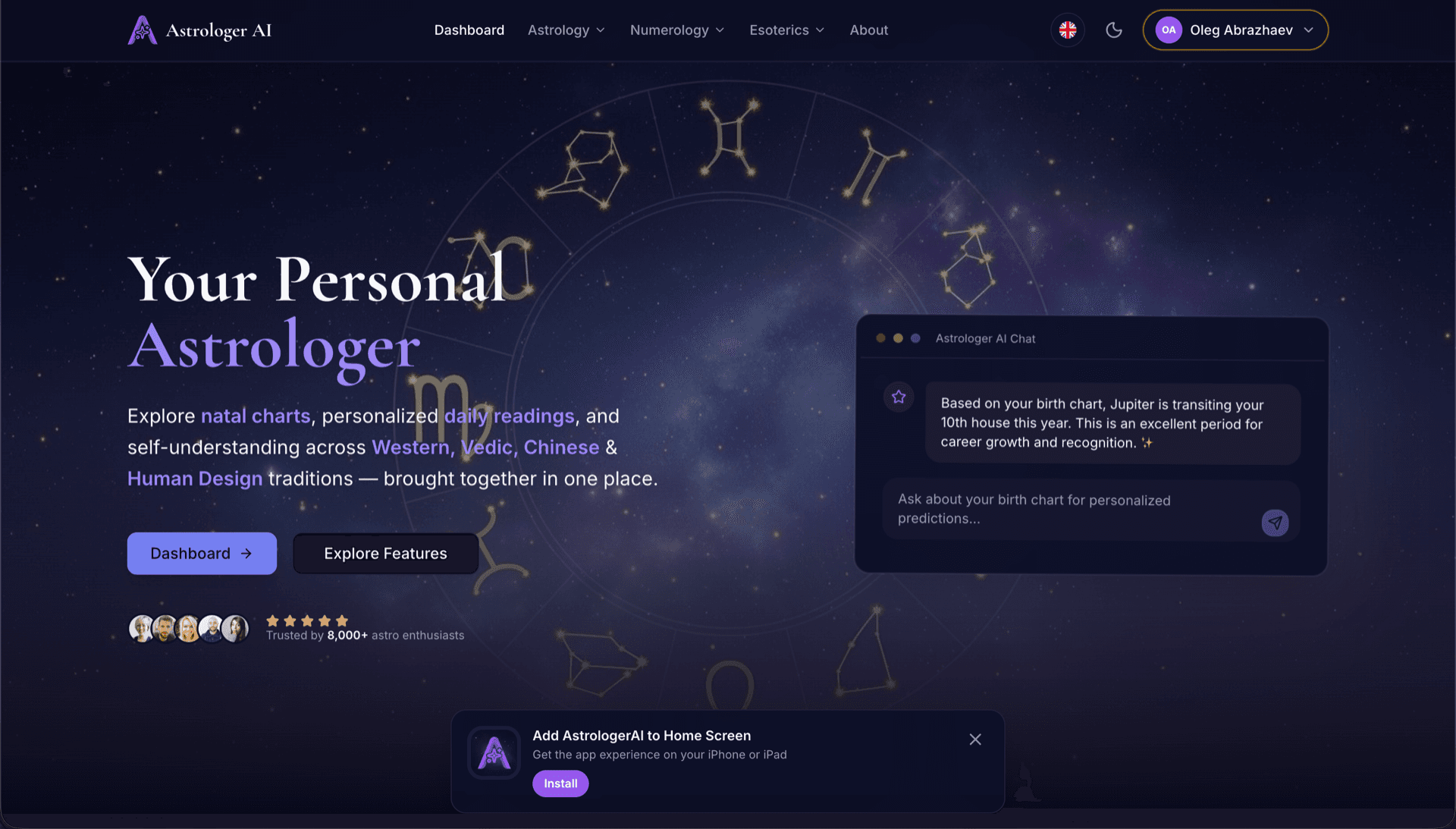
AstrologerAI: an AI astrology app localized into 52 languages
How the AstrologerAI app translated its entire experience into 52 languages with LocalePack — 6.3M tokens for $58.73 — to reach a worldwide audience in their own language.
మీ సోర్స్ messages.json ను అప్లోడ్ చేయండి, లక్ష్య భాషలను ఎంచుకోండి, ఒక్కసారి చెల్లించండి, మరియు వెంటనే పంపేందుకు సిద్ధమైన _locales ZIP ను డౌన్లోడ్ చేయండి.
మీ browser extension ను లోకలైజ్ చేయడానికి మూడు సులభ దశలు. చెల్లింపు తర్వాత అనువాదాలు నడుస్తాయి—మేము జాబ్లను క్యూలో పెట్టి నిమిషాల్లో ZIP ను రూపొందిస్తాము.
మీ సోర్స్ messages.json ఫైల్ను డ్రాప్ చేయండి. మేము దాన్ని వెంటనే పార్స్ చేసి browser extension ఫార్మాట్ను ధృవీకరిస్తాము.
52 భాషల నుంచి ఎంచుకోండి. మీరు చెల్లించే ముందు మీ ఫైల్ పరిమాణం ఆధారంగా పారదర్శక ధరలను చూడండి.
Stripe ద్వారా ఒక్కసారి చెల్లించండి. మేము అన్ని _locales/{lang}/messages.json ఫైళ్లను రూపొందించి వాటిని ZIP గా బండిల్ చేస్తాము.
అప్లోడ్ చేయడానికి ముందు మీరు చెల్లించేది ఎంతనో ఖచ్చితంగా చూడండి. తుది కోట్ అప్లోడ్ తర్వాత స్ట్రింగ్ పొడవు మరియు ఎంచుకున్న భాషల ఆధారంగా లెక్కించబడుతుంది.
messages.json ను ఇక్కడ డ్రాప్ చేయండి
లేదా బ్రౌజ్ చేయడానికి క్లిక్ చేయండి
messages.json input. Max 500KB.
55లో 3 భాషలు ఎంచుకున్నారు
చెకౌట్ పేజీలో ఫైల్ అప్లోడ్ చేసిన తర్వాత తుది ధర లెక్కించబడుతుంది
ఒక్కసారి చెల్లింపు • సబ్స్క్రిప్షన్ లేదు
browser extension లోకేల్ ఫార్మాట్ కోసం ప్రత్యేకంగా రూపొందించబడింది. ఇది సాధారణ అనువాద సాధనం కాదు.
message, description, మరియు placeholders సపోర్ట్తో browser extension messages.json నిర్మాణం కోసం ప్రత్యేకంగా రూపొందించబడింది.
$PLACEHOLDER$ సింటాక్స్ను ఉన్నట్లుగానే ఖచ్చితంగా నిలుపుతుంది. మీ వేరియబుల్స్ అన్ని భాషల్లోనూ యథాతథంగా ఉంటాయి.
మేము మీ description ఫీల్డ్స్ను చదివి, మరింత ఖచ్చితమైన AI అనువాదాల కోసం సందర్భ సూచనలుగా ఉపయోగిస్తాము.
సరైన _locales/{lang}/messages.json ఫోల్డర్ నిర్మాణంతో ZIPను డౌన్లోడ్ చేయండి. దాన్ని మీ ఎక్స్టెన్షన్లో డ్రాప్ చేయండి.
అన్ని భాషలు ఒకేసారి అనువదించబడతాయి. చాలా పనులు 5 నిమిషాల్లోపు పూర్తవుతాయి.
సబ్స్క్రిప్షన్లు లేవు, నెలవారీ ఫీజులు లేవు. ప్రతి పనికి ఒక్కసారి చెల్లించి, ఎప్పటికీ డౌన్లోడ్ చేసుకోండి.
A messages.json entry pairs a key with a "message" string, an optional "description" used as translation context, and an optional "placeholders" map. LocalePack parses all three: it translates only the message text, forwards the description to the model as context, and returns $PLACEHOLDER$ and $1 substitution tokens byte-identical.
_locales/
├── en/
│   └── messages.json   ← default_locale
├── de/
│   └── messages.json
├── fr/
│   └── messages.json
└── ja/
└── messages.json{
"appName": {
"message": "My Extension",
"description": "Extension name"
},
"greeting": {
"message": "Hello, $USER$!",
"placeholders": {
"user": { "content": "$1" }
}
}
}రన్టైమ్ API
chrome.i18n / browser.i18nఉదాహరణ కాల్
getMessage("key")మానిఫెస్ట్లో అవసరం
"default_locale"The same translated messages.json drops into _locales/{locale}/ for Chrome, Firefox, Edge, Opera and Safari without further edits.
A messages.json entry is more than a key and a string. Getting these four pieces wrong is what breaks extensions after machine translation.
Most generic translation tools treat $PLACEHOLDER$ and $1 as ordinary words. Once they are translated or reordered, the extension ships with broken interpolation.
సాధారణ ప్రయోజనాల అనువాద టూల్స్కు browser extension ఫార్మాట్ అర్థం కాదు.
LocalePack | మాన్యువల్ అనువాదం | సాధారణ TMS | |
|---|---|---|---|
| సెట్టప్ సమయం | 2 నిమిషాలు | ప్రతి భాషకు గంటలు | 30+ నిమిషాలు |
| ఖర్చు పారదర్శకత | |||
| WebExtension ఫార్మాట్ భద్రత | |||
| ప్లేస్హోల్డర్ రక్షణ | |||
| వేగం (52 భాషలు) | < 5 నిమి | వారాలు | గంటలు |
| దేనికి ఉత్తమం | Any messages.json file | చిన్న ప్రాజెక్టులు | ఎంటర్ప్రైజ్ వెబ్ యాప్లు |
LocalePackను ఉపయోగించి గరిష్టంగా 52 భాషల్లో ప్రపంచవ్యాప్త ప్రేక్షకులను చేరుకున్న నిజమైన ప్రాజెక్టులు.
How the AstrologerAI app translated its entire experience into 52 languages with LocalePack — 6.3M tokens for $58.73 — to reach a worldwide audience in their own language.
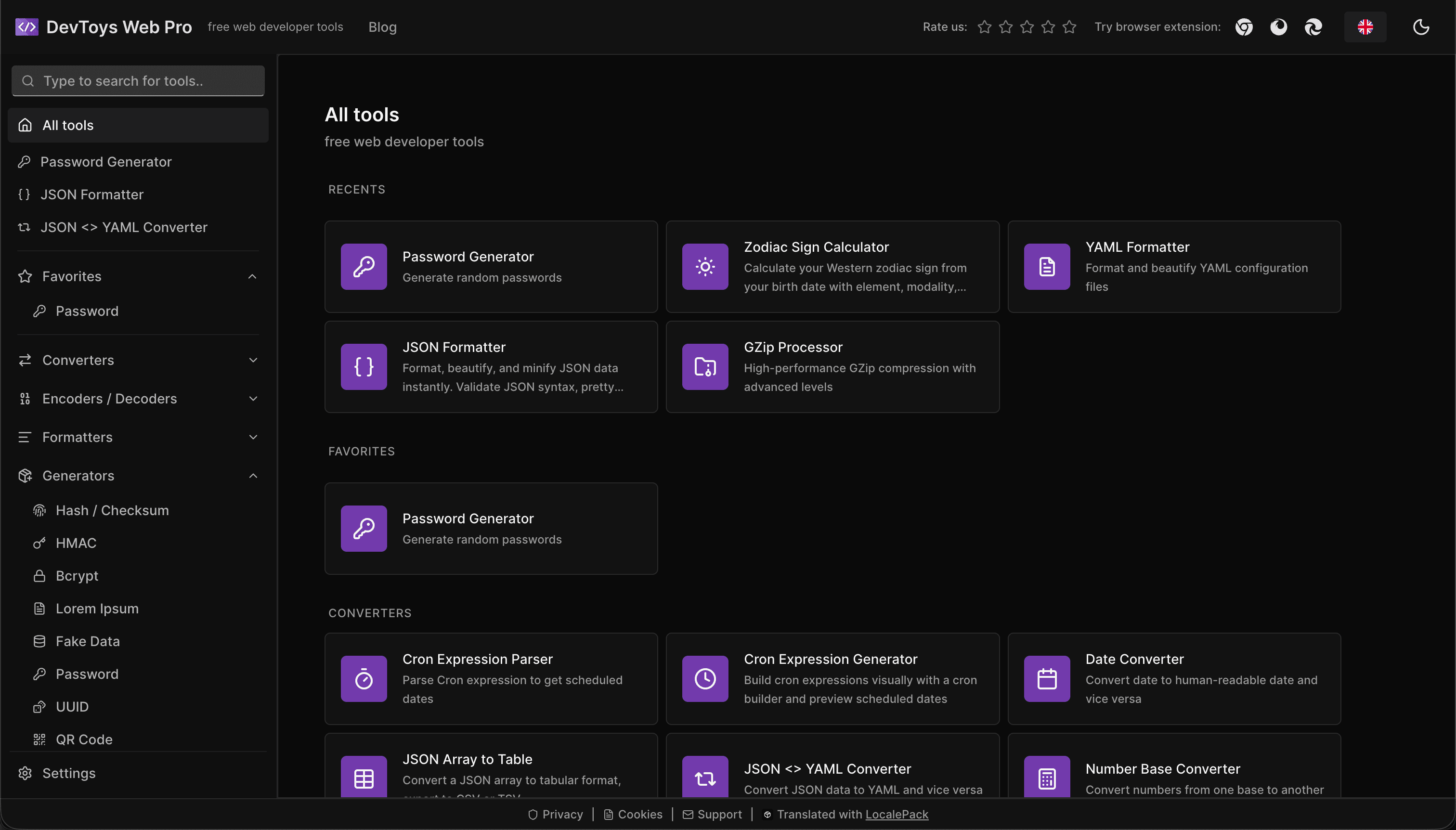
How the DevToys.pro web app translated its entire UI into 52 languages with LocalePack — 5.8M tokens for $58.44 — and quadrupled its international organic traffic.
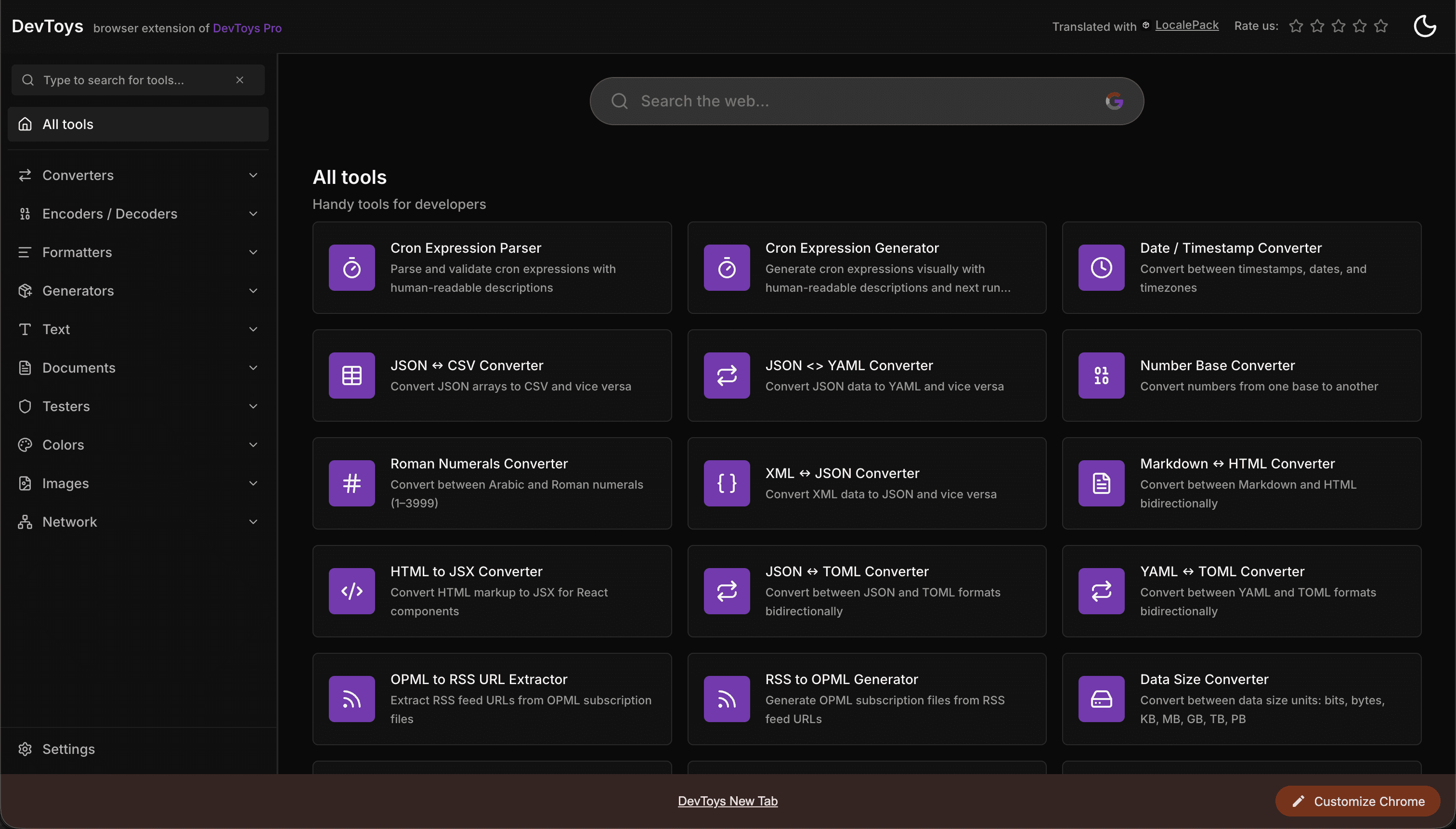
How the DevToys New Tab Chrome extension localized both its in-extension UI and its Chrome Web Store listing into 52 languages to reach a global audience.
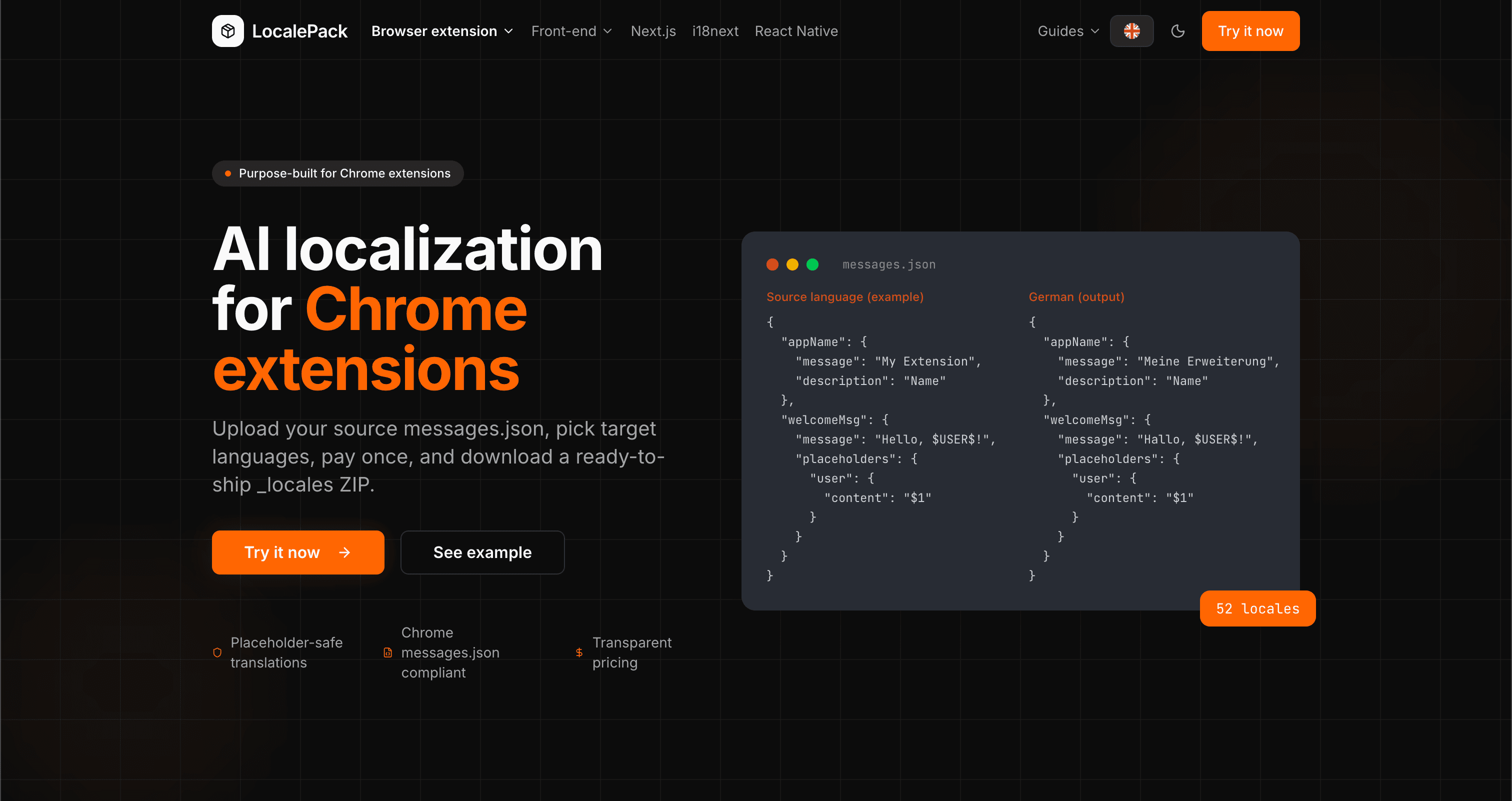
We used our own tool to translate the entire LocalePack site into 52 languages — 2.9M tokens for $27.37 — so developers worldwide find us in their own language.
“విసుగ్గా ఉండే పనిలో గంటల సమయాన్ని ఆదా చేసింది. నా messages.json అప్లోడ్ చేశాను, నాకు అవసరమైన ఖచ్చితమైన ఫార్మాట్లోనే పర్ఫెక్ట్ అనువాదాలు తిరిగి వచ్చాయి.”
సారా కె.
ఇండీ డెవ్, AdBlock ఎక్స్టెన్షన్
“Our $PLACEHOLDER$ tokens came back untouched in all 52 locales. That is the whole reason we stopped scripting it ourselves.”
మార్కస్ టీ.
ఎక్స్టెన్షన్ నిర్వహణకర్త
“పారదర్శక ధరలే నిర్ణయాత్మక అంశం. ఏదైనా అప్లోడ్ చేసే ముందు నేను ఎంత చెల్లించాలో ఖచ్చితంగా తెలిసింది.”
Dev J.
ఓపెన్ సోర్స్ కాంట్రిబ్యూటర్
52
మద్దతిచ్చే లోకేల్స్
100%
ప్లేస్హోల్డర్-సేఫ్ అవుట్పుట్
ZIP
షిప్ చేయడానికి సిద్ధం
LocalePack గురించి మీకు తెలుసుకోవాల్సిన ప్రతిదీ.
Deep dives on the formats, APIs and errors behind this page — written for developers, not translators.
A complete reference for the WebExtension messages.json format: the message, description, and placeholders fields, $PLACEHOLDER$ syntax, $1 positional substitutions, and common mistakes.
How to catch every class of messages.json error before your users do: JSON syntax, missing required fields, missing keys across locales, malformed placeholder syntax, and manifest key mismatches.
How the __MSG_key__ substitution syntax works in Chrome and Firefox extension manifests: which fields support it, how Chrome resolves tokens at load time, and the pitfalls that cause silent failures or upload rejections.
getMessage() returns an empty string when a message is missing, and logs nothing at all. Every cause of the silent empty string, how to tell it apart from undefined, and how to confirm each one.
ఒక్కసారి చెల్లించండి - ZIP డౌన్లోడ్ చేయండి - ప్రపంచవ్యాప్తంగా విడుదల చేయండి
LocalePack ను ప్రయత్నించండి