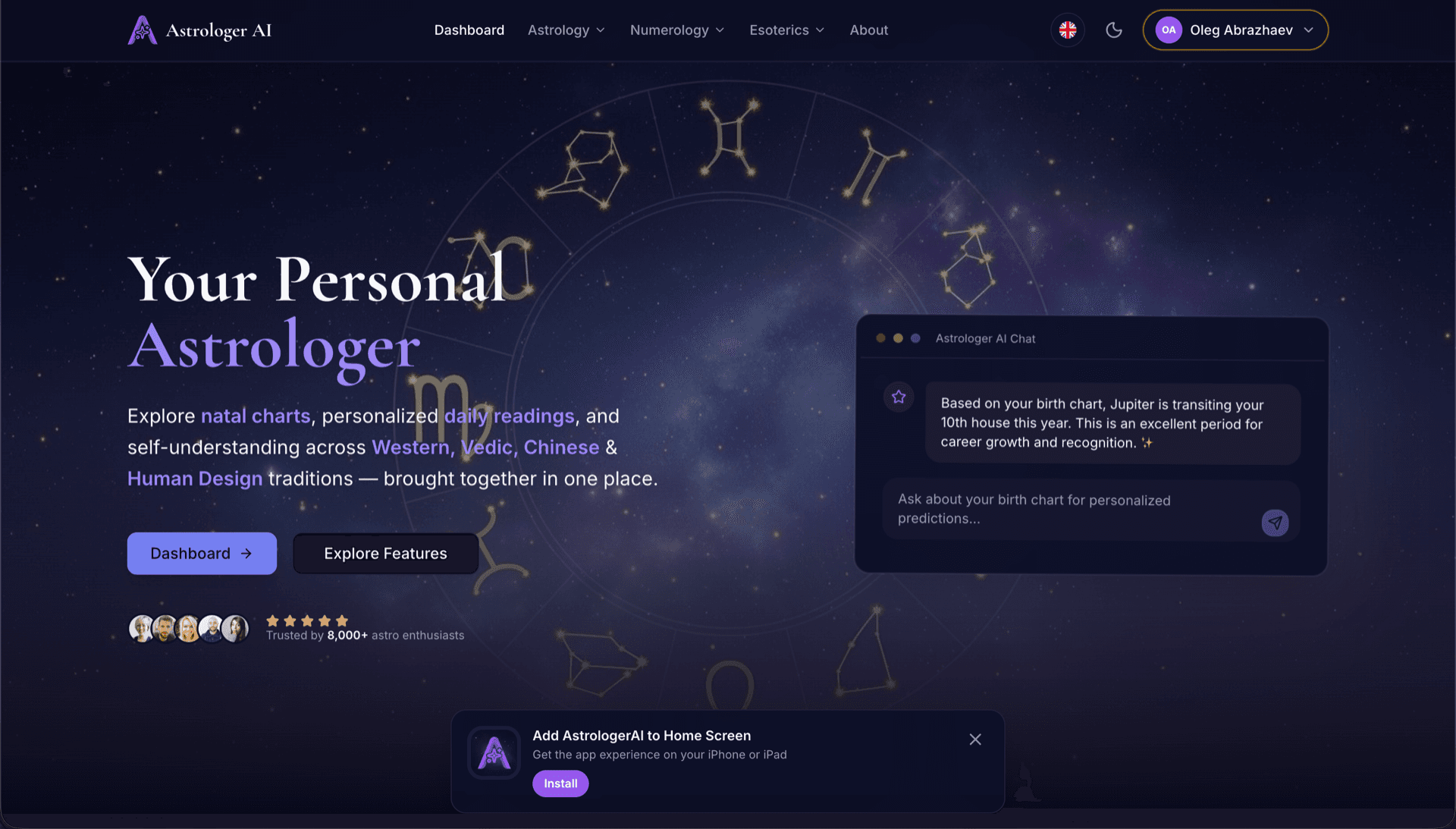
AstrologerAI: an AI astrology app localized into 52 languages
How the AstrologerAI app translated its entire experience into 52 languages with LocalePack — 6.3M tokens for $58.73 — to reach a worldwide audience in their own language.
ನಿಮ್ಮ ಮೂಲ messages.json ಅನ್ನು ಅಪ್ಲೋಡ್ ಮಾಡಿ, ಗುರಿ ಭಾಷೆಗಳನ್ನು ಆಯ್ಕೆಮಾಡಿ, ಒಮ್ಮೆ ಪಾವತಿಸಿ, ಮತ್ತು ಶಿಪ್ ಮಾಡಲು ಸಿದ್ಧವಾದ _locales ZIP ಅನ್ನು ಡೌನ್ಲೋಡ್ ಮಾಡಿ.
ನಿಮ್ಮ Edge ಎಕ್ಸ್ಟೆನ್ಶನ್ ಅನ್ನು ಸ್ಥಳೀಕರಿಸಲು ಮೂರು ಸರಳ ಹಂತಗಳು. ಪಾವತಿಯ ನಂತರ ಅನುವಾದಗಳು ನಡೆಯುತ್ತವೆ—ನಾವು ಕೆಲಸಗಳನ್ನು ಕ್ಯೂ ಮಾಡುತ್ತೇವೆ ಮತ್ತು ನಿಮಿಷಗಳಲ್ಲಿ ZIP ಅನ್ನು ರಚಿಸುತ್ತೇವೆ.
ನಿಮ್ಮ ಮೂಲ messages.json ಫೈಲ್ ಅನ್ನು ಡ್ರಾಪ್ ಮಾಡಿ. ನಾವು ಅದನ್ನು ತಕ್ಷಣ ಪಾರ್ಸ್ ಮಾಡಿ Edge ಎಕ್ಸ್ಟೆನ್ಶನ್ ಫಾರ್ಮ್ಯಾಟ್ ಅನ್ನು ಮಾನ್ಯಗೊಳಿಸುತ್ತೇವೆ.
52 ಭಾಷೆಗಳಿಂದ ಆಯ್ಕೆಮಾಡಿ. ನೀವು ಪಾವತಿಸುವ ಮೊದಲು ನಿಮ್ಮ ಫೈಲ್ ಗಾತ್ರದ ಆಧಾರದ ಮೇಲೆ ಪಾರದರ್ಶಕ ಬೆಲೆ ನಿಗದಿಯನ್ನು ನೋಡಿ.
Stripe ಮೂಲಕ ಒಮ್ಮೆ ಪಾವತಿಸಿ. ನಾವು ಎಲ್ಲಾ _locales/{lang}/messages.json ಫೈಲ್ಗಳನ್ನು ರಚಿಸಿ ಅವನ್ನು ZIP ಆಗಿ ಬಂಡಲ್ ಮಾಡುತ್ತೇವೆ.
ಅಪ್ಲೋಡ್ ಮಾಡುವ ಮೊದಲು ನೀವು ಎಷ್ಟು ಪಾವತಿಸುವಿರಿ ಎಂಬುದನ್ನು ನಿಖರವಾಗಿ ನೋಡಿ. ಅಂತಿಮ ಕೊಟ್ ಅನ್ನು ಅಪ್ಲೋಡ್ ನಂತರ ಸ್ಟ್ರಿಂಗ್ ಉದ್ದ ಮತ್ತು ಆಯ್ಕೆಮಾಡಿದ ಭಾಷೆಗಳ ಆಧಾರದ ಮೇಲೆ ಲೆಕ್ಕಿಸಲಾಗುತ್ತದೆ.
messages.json ಅನ್ನು ಇಲ್ಲಿ ಬಿಡಿ
ಅಥವಾ ಬ್ರೌಸ್ ಮಾಡಲು ಕ್ಲಿಕ್ ಮಾಡಿ
Edge ಎಕ್ಸ್ಟೆನ್ಶನ್ ಫಾರ್ಮ್ಯಾಟ್ ಮಾತ್ರ. ಗರಿಷ್ಠ 500KB.
55 ಭಾಷೆಗಳಲ್ಲಿ 3 ಆಯ್ಕೆಮಾಡಲಾಗಿದೆ
ಚೆಕ್ಔಟ್ ಪುಟದಲ್ಲಿ ಫೈಲ್ ಅಪ್ಲೋಡ್ ಮಾಡಿದ ನಂತರ ಅಂತಿಮ ಬೆಲೆ ಲೆಕ್ಕಿಸಲಾಗುತ್ತದೆ
ಒಮ್ಮೆ ಮಾತ್ರ ಪಾವತಿ • ಚಂದಾದಾರಿಕೆ ಇಲ್ಲ
Edge ಎಕ್ಸ್ಟೆನ್ಶನ್ ಲೊಕೇಲ್ ಫಾರ್ಮ್ಯಾಟ್ಗಾಗಿ ವಿಶೇಷವಾಗಿ ನಿರ್ಮಿಸಲಾಗಿದೆ. ಸಾಮಾನ್ಯ ಅನುವಾದ ಸಾಧನವಲ್ಲ.
message, description ಮತ್ತು placeholders ಬೆಂಬಲದೊಂದಿಗೆ Edge ಎಕ್ಸ್ಟೆನ್ಶನ್ messages.json ರಚನೆಗಾಗಿ ವಿಶೇಷವಾಗಿ ನಿರ್ಮಿಸಲಾಗಿದೆ.
$PLACEHOLDER$ ಸಿಂಟ್ಯಾಕ್ಸ್ ಅನ್ನು ಇದ್ದ ಹಾಗೆಯೇ ನಿಖರವಾಗಿ ಉಳಿಸುತ್ತದೆ. ನಿಮ್ಮ ವ್ಯೇರಿಯಬಲ್ಗಳು ಎಲ್ಲಾ ಭಾಷೆಗಳಲ್ಲೂ ಅಕ್ಷುಣ್ಣವಾಗಿರುತ್ತವೆ.
ನಾವು ನಿಮ್ಮ description ಫೀಲ್ಡ್ಗಳನ್ನು ಓದಿ, ಹೆಚ್ಚು ನಿಖರವಾದ AI ಅನುವಾದಗಳಿಗಾಗಿ ಅವನ್ನು ಸಂದರ್ಭ ಸೂಚನೆಗಳಾಗಿ ಬಳಸುತ್ತೇವೆ.
ಸರಿಯಾದ _locales/{lang}/messages.json ಫೋಲ್ಡರ್ ರಚನೆಯೊಂದಿಗೆ ZIP ಅನ್ನು ಡೌನ್ಲೋಡ್ ಮಾಡಿ. ಅದನ್ನು ನಿಮ್ಮ ಎಕ್ಸ್ಟೆನ್ಶನ್ಗೆ ಸೇರಿಸಿ.
ಎಲ್ಲಾ ಭಾಷೆಗಳು ಒಂದೇ ಸಮಯದಲ್ಲಿ ಅನುವಾದಗೊಳ್ಳುತ್ತವೆ. ಹೆಚ್ಚಿನ ಕೆಲಸಗಳು 5 ನಿಮಿಷಗಳೊಳಗೆ ಪೂರ್ಣಗೊಳ್ಳುತ್ತವೆ.
ಚಂದಾದಾರಿಕೆ ಇಲ್ಲ, ಮಾಸಿಕ ಶುಲ್ಕಗಳಿಲ್ಲ. ಪ್ರತಿ ಕೆಲಸಕ್ಕೆ ಒಮ್ಮೆ ಪಾವತಿಸಿ, ಶಾಶ್ವತವಾಗಿ ಡೌನ್ಲೋಡ್ ಮಾಡಿ.
Microsoft Edge ಎಕ್ಸ್ಟೆನ್ಶನ್ಗಳು ಅದೇ Chromium i18n ಫಾರ್ಮ್ಯಾಟ್ ಅನ್ನು ಬಳಸುತ್ತವೆ — Chrome ನಂತೆಯೇ _locales/{locale}/messages.json ರಚನೆ. ನಿಮ್ಮ ಎಕ್ಸ್ಟೆನ್ಶನ್ ಈಗಾಗಲೇ Chrome ಅನ್ನು ಗುರಿಯಾಗಿಸಿಕೊಂಡಿದ್ದರೆ, LocalePack ಔಟ್ಪುಟ್ Edge ಗೆ ಯಾವುದೇ ಬದಲಾವಣೆ ಇಲ್ಲದೆ ಕೆಲಸ ಮಾಡುತ್ತದೆ.
_locales/
├── en/
│   └── messages.json   ← default_locale
├── de/
│   └── messages.json
├── fr/
│   └── messages.json
└── ja/
└── messages.json{
"appName": {
"message": "My Extension",
"description": "Extension name"
},
"greeting": {
"message": "Hello, $USER$!",
"placeholders": {
"user": { "content": "$1" }
}
}
}ರನ್ಟೈಮ್ API
chrome.i18nಉದಾಹರಣೆ ಕರೆ
chrome.i18n.getMessage("appName")ಮ್ಯಾನಿಫೆಸ್ಟ್ನಲ್ಲಿ ಅಗತ್ಯವಿದೆ
"default_locale"Edge ಅನ್ನು Chromium ಮೇಲೆ ನಿರ್ಮಿಸಲಾಗಿದೆ. Chrome ಗೆ ಕೆಲಸ ಮಾಡುವ ಯಾವುದೇ _locales ZIP Edge ಗೆ ಕೂಡ ಹಾಗೆಯೇ ಕೆಲಸ ಮಾಡುತ್ತದೆ.
Microsoft Edge Add-ons ಸ್ಟೋರ್ _locales/ ಅನ್ನು ಓದಿ, ತಮ್ಮ ಭಾಷೆಯಲ್ಲಿ ಸ್ಟೋರ್ ಅನ್ನು ವೀಕ್ಷಿಸುವ ಬಳಕೆದಾರರಿಗೆ ಸ್ಥಳೀಕರಿಸಿದ ಎಕ್ಸ್ಟೆನ್ಶನ್ ಹೆಸರುಗಳು ಮತ್ತು ವಿವರಣೆಗಳನ್ನು ಪ್ರದರ್ಶಿಸುತ್ತದೆ.
Edge extensions use the identical Chromium i18n format. That means the compatibility is total — and so are Chrome's constraints.
Because Edge inherits Chromium's behaviour, it also inherits the silent failure: an unsupported locale folder is ignored rather than reported.
ಸಾಮಾನ್ಯ ಉದ್ದೇಶದ ಅನುವಾದ ಸಾಧನಗಳು Edge ಎಕ್ಸ್ಟೆನ್ಶನ್ ಫಾರ್ಮ್ಯಾಟ್ ಅನ್ನು ಅರ್ಥಮಾಡಿಕೊಳ್ಳುವುದಿಲ್ಲ.
LocalePack | ಕೈಯಾರೆ ಅನುವಾದ | ಸಾಮಾನ್ಯ TMS | |
|---|---|---|---|
| ಸೆಟಪ್ ಸಮಯ | 2 ನಿಮಿಷಗಳು | ಪ್ರತಿ ಭಾಷೆಗೆ ಗಂಟೆಗಳು | 30+ ನಿಮಿಷಗಳು |
| ವೆಚ್ಚದ ಪಾರದರ್ಶಕತೆ | |||
| Edge ಫಾರ್ಮ್ಯಾಟ್ ಸುರಕ್ಷತೆ | |||
| ಪ್ಲೇಸ್ಹೋಲ್ಡರ್ ರಕ್ಷಣೆ | |||
| ವೇಗ (52 ಭಾಷೆಗಳು) | < 5 ನಿಮಿ | ವಾರಗಳು | ಗಂಟೆಗಳು |
| ಯಾವುದಕ್ಕೆ ಉತ್ತಮ | Edge ಎಕ್ಸ್ಟೆನ್ಶನ್ಗಳು | ಸಣ್ಣ ಯೋಜನೆಗಳು | ಎಂಟರ್ಪ್ರೈಸ್ ವೆಬ್ ಆ್ಯಪ್ಗಳು |
LocalePack ಅನ್ನು ಬಳಸಿ ಗರಿಷ್ಠ 52 ಭಾಷೆಗಳಲ್ಲಿ ಜಾಗತಿಕ ಪ್ರೇಕ್ಷಕರನ್ನು ತಲುಪಿದ ನೈಜ ಯೋಜನೆಗಳು.
How the AstrologerAI app translated its entire experience into 52 languages with LocalePack — 6.3M tokens for $58.73 — to reach a worldwide audience in their own language.
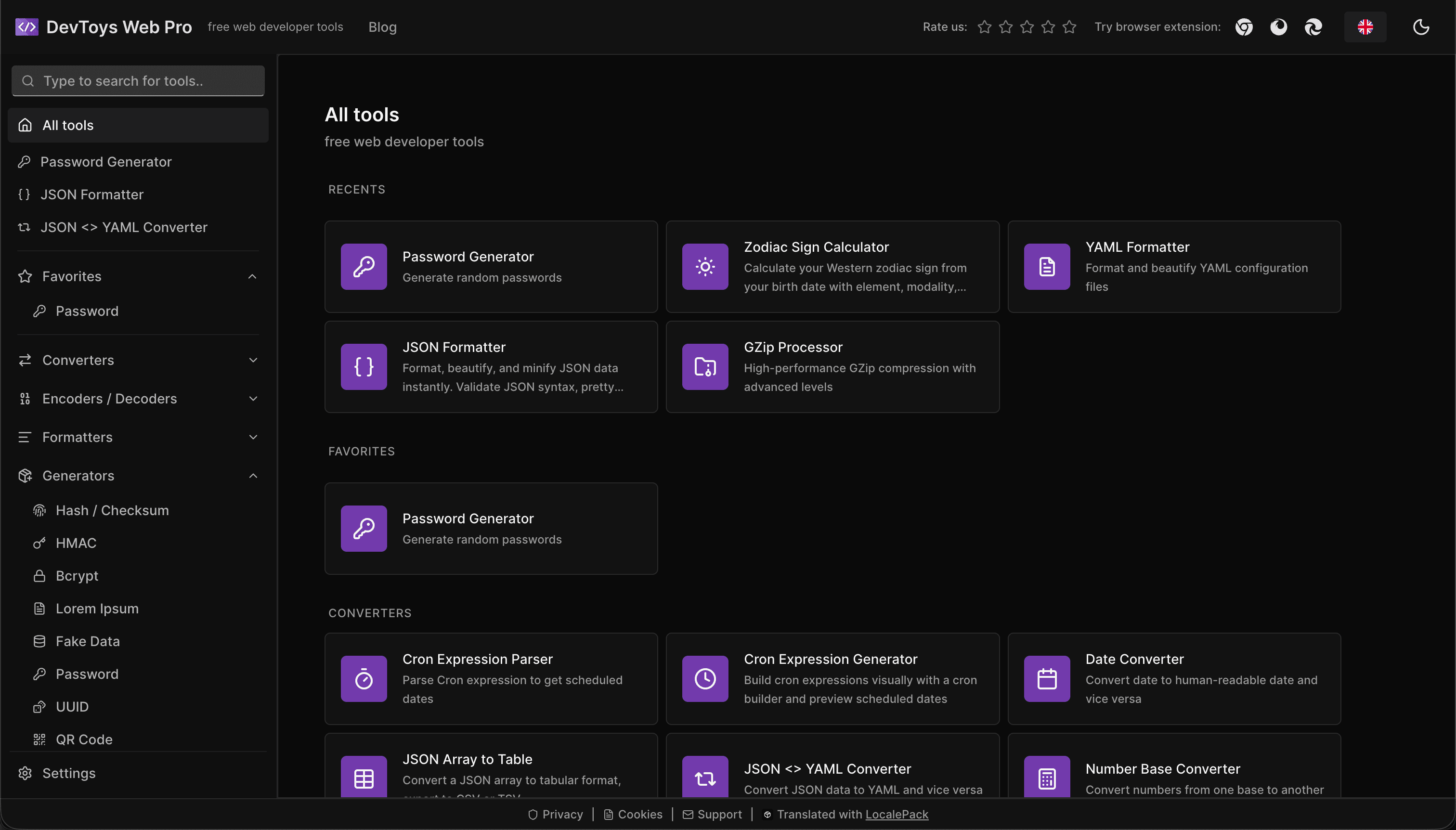
How the DevToys.pro web app translated its entire UI into 52 languages with LocalePack — 5.8M tokens for $58.44 — and quadrupled its international organic traffic.
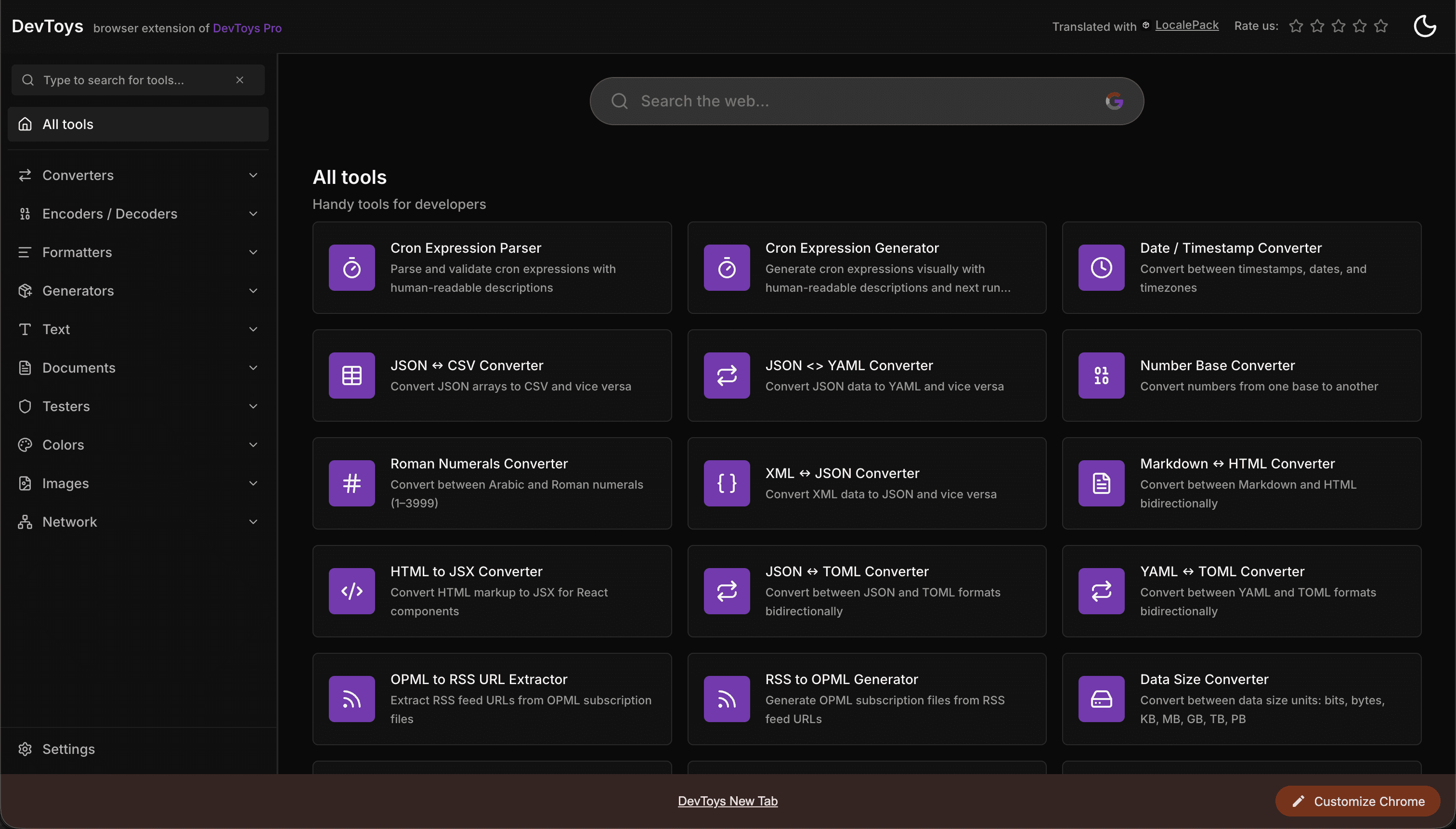
How the DevToys New Tab Chrome extension localized both its in-extension UI and its Chrome Web Store listing into 52 languages to reach a global audience.
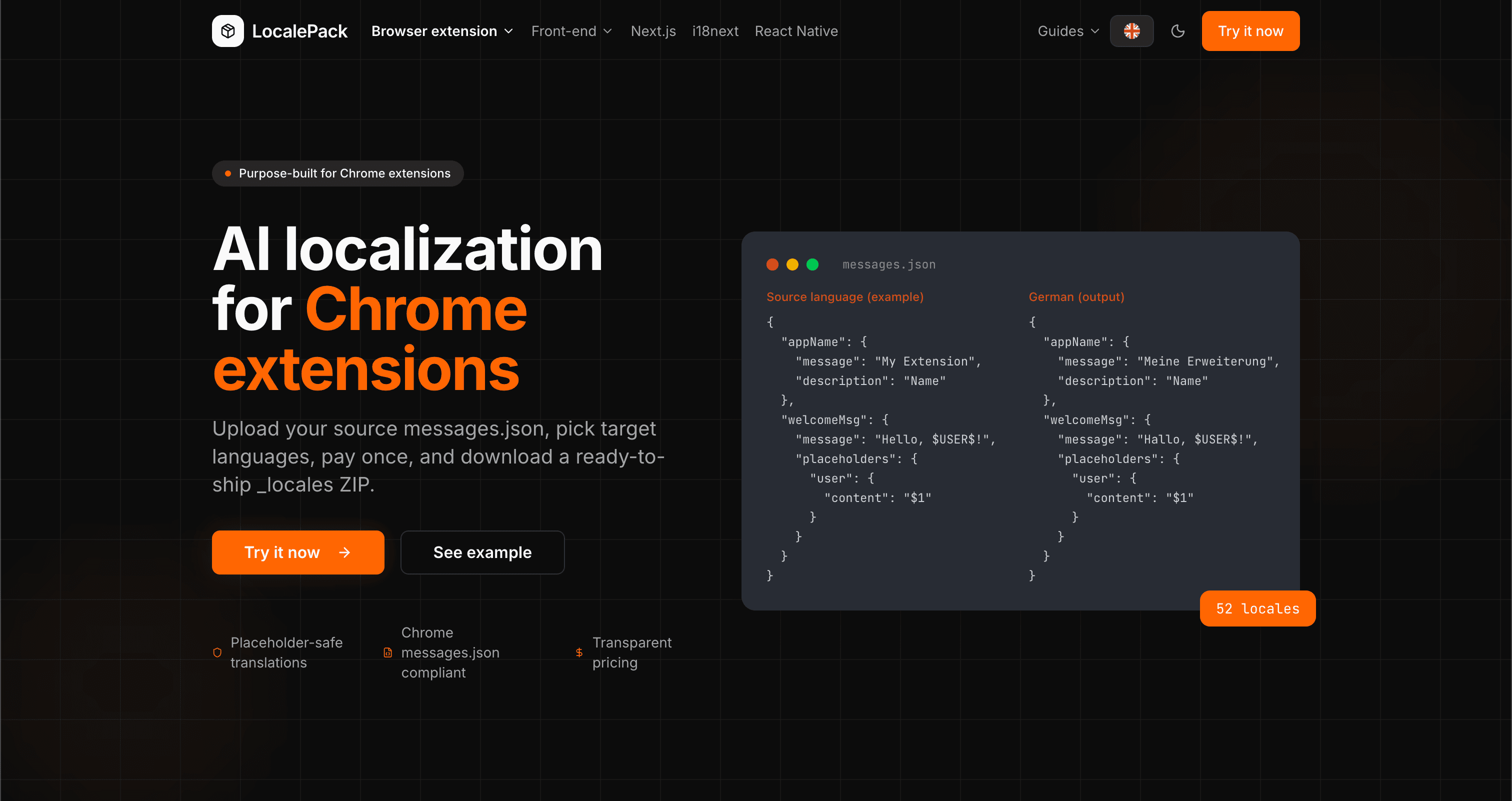
We used our own tool to translate the entire LocalePack site into 52 languages — 2.9M tokens for $27.37 — so developers worldwide find us in their own language.
“ಬೇಸರದ ಕೆಲಸದ ಅನೇಕ ಗಂಟೆಗಳನ್ನು ಉಳಿಸಿತು. ನನ್ನ messages.json ಅನ್ನು ಅಪ್ಲೋಡ್ ಮಾಡಿದೆ, ನನಗೆ ಬೇಕಿದ್ದ ನಿಖರ ಫಾರ್ಮ್ಯಾಟ್ನಲ್ಲೇ ಪರಿಪೂರ್ಣ ಅನುವಾದಗಳು ಮರಳಿ ಬಂದವು.”
Sarah K.
ಇಂಡಿ ಡೆವ್, AdBlock ಎಕ್ಸ್ಟೆನ್ಶನ್
“ಕೊನೆಗೂ Edge ಎಕ್ಸ್ಟೆನ್ಶನ್ ಫಾರ್ಮ್ಯಾಟ್ ಅನ್ನು ಅರ್ಥಮಾಡಿಕೊಳ್ಳುವ ಸಾಧನ. ಅನುವಾದದ ನಂತರ ಮುರಿದ ಪ್ಲೇಸ್ಹೋಲ್ಡರ್ಗಳನ್ನು ಸರಿಪಡಿಸುವ ಅಗತ್ಯವಿಲ್ಲ.”
Marcus T.
ಎಕ್ಸ್ಟೆನ್ಶನ್ ನಿರ್ವಹಣೆಗಾರ
“ಪಾರದರ್ಶಕ ಬೆಲೆ ನಿಗದಿ ಮಾರಾಟದ ಪ್ರಮುಖ ಕಾರಣವಾಗಿತ್ತು. ಏನನ್ನಾದರೂ ಅಪ್ಲೋಡ್ ಮಾಡುವ ಮೊದಲು ನಾನು ಎಷ್ಟು ಪಾವತಿಸಬೇಕೆಂದು ನಿಖರವಾಗಿ ತಿಳಿದಿದ್ದೆ.”
Dev J.
ಓಪನ್ ಸೋರ್ಸ್ ಕೊಡುಗೆದಾರ
52
ಬೆಂಬಲಿತ ಲೊಕೇಲ್ಗಳು
100%
ಪ್ಲೇಸ್ಹೋಲ್ಡರ್-ಸುರಕ್ಷಿತ ಔಟ್ಪುಟ್
ZIP
ಶಿಪ್ ಮಾಡಲು ಸಿದ್ಧ
LocalePack ಬಗ್ಗೆ ನಿಮಗೆ ತಿಳಿಯಬೇಕಾದ ಎಲ್ಲವೂ.
Deep dives on the formats, APIs and errors behind this page — written for developers, not translators.
How to set up the _locales folder, what default_locale does in manifest.json, and how Chrome picks the right messages.json at runtime.
Why Partner Center shows only one listing language even when your package ships twenty, how __MSG_ manifest references drive language detection, and which listing fields Edge requires for every language versus just one.
All four chrome.i18n methods with exact signatures and return types: which are synchronous, which return promises, what getMessage() returns when it fails, and how browser.i18n differs in Firefox and Safari.
Every locale code Chrome accepts as a _locales folder name, with language and native names, the underscore-vs-hyphen trap that makes pt-BR silently ignored, and how Chrome picks a locale at runtime.
How to catch every class of messages.json error before your users do: JSON syntax, missing required fields, missing keys across locales, malformed placeholder syntax, and manifest key mismatches.
ಒಮ್ಮೆ ಪಾವತಿಸಿ - ZIP ಡೌನ್ಲೋಡ್ ಮಾಡಿ - ಜಾಗತಿಕವಾಗಿ ಬಿಡುಗಡೆ ಮಾಡಿ
LocalePack ಪ್ರಯತ್ನಿಸಿ